
Appearance
Button text, colours, style, position, language and your own consent text.
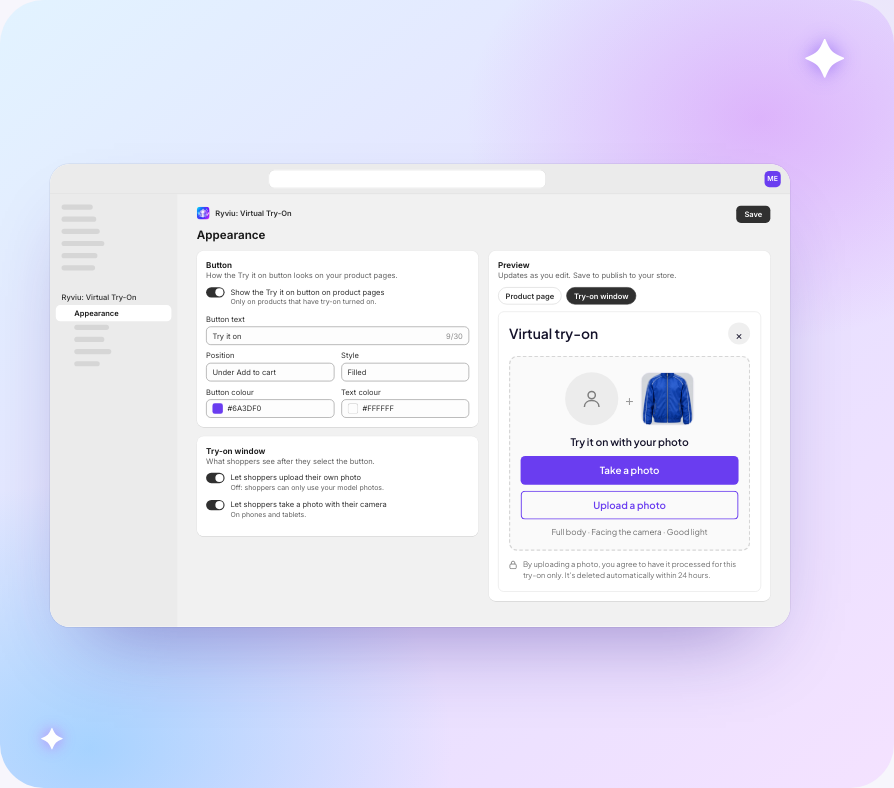
On the Appearance page you can change:
- the button text
- the colours
- the style: filled or outline
- the position: under Add to cart, or floating in the corner
- the language of the try-on window
- your own consent text
The preview on the right updates as you edit. Switch it between Product page and Try-on window to see both. Select Save to publish the changes to your store.
Who can use their own photo
Under Try-on window you choose whether shoppers can upload their own photo and whether they can take one with their camera. With uploads off, shoppers can only use your model photos.
Place the button yourself
To choose exactly where the button sits, add the Try-On button block to the product template in the theme editor.